
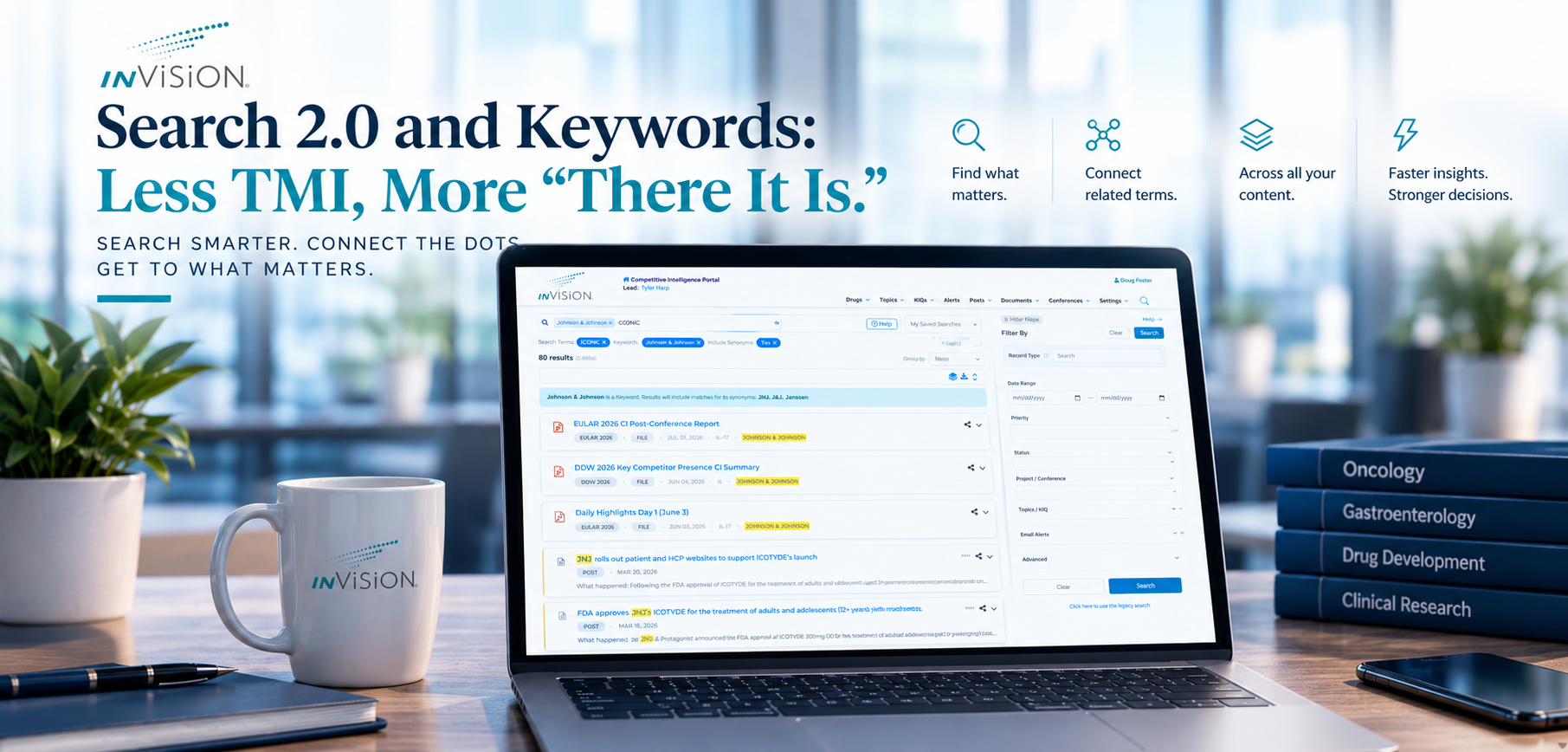
Teams across pharmaceutical and biopharma organizations do not usually have a “not enough information” problem.
They have a TMI problem.
Too many posts. Too many conference updates. Too many documents, notes, companies, drugs, acronyms, synonyms, and scientific terms that all seem to point to the same thing — but not always in the same words.
The insight is probably already in inVision.
The real question is: can you find it when you need it?
That is where Search 2.0 and Keywords come together.
Search 2.0 expands what users can search across. Keywords add structure behind the scenes, so important topics, companies, products, mechanisms, diseases, and conference themes can be connected to the different ways people actually refer to them.
The result is a search experience that feels less like hunting through everything and more like getting to the right intelligence faster.
When You Search “J&J,” You Mean More Than Three Characters
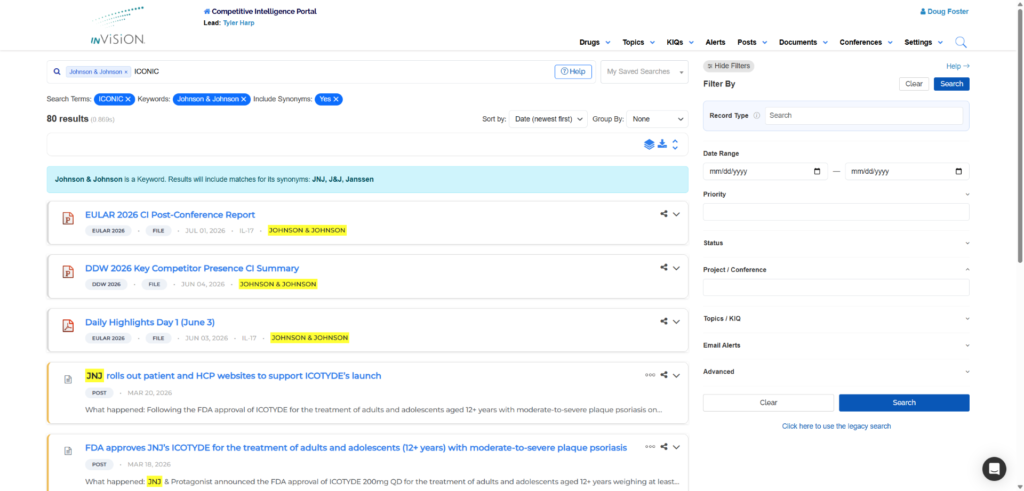
Imagine an analyst trying to understand recent activity around Johnson & Johnson.
In the moment, they may not want to build the perfect search query. They may simply type J&J or JNJ because that is how people talk about the company every day.
But relevant intelligence may not always say “J&J.” It may say Johnson & Johnson. It may reference Janssen. It may appear in a conference post, a company mention, a document, or a related project update.
With Keywords and synonyms, inVision can connect those variations so the user is not forced to search every version manually.
That saves time, but it also reduces the chance of missing something important just because a record used a different name.
When “IL17” Shows Up Five Different Ways
Scientific language is precise, but it is not always consistent.
A user looking for IL17 may also need results that mention IL 17, IL-17, or Interleukin 17. Those are all meaningful variations, and in a real research workflow, they should not feel like separate searches.
This is where Keywords become especially useful.
Teams can define keywords and synonyms, and inVision can index content against them. Users then benefit automatically when they search.
So someone researching a mechanism, preparing for a meeting, or reviewing the competitive landscape does not have to stop and think, “Did I search the hyphenated version too?”
Search becomes less about remembering every possible spelling and more about finding the concept.
When You’re Preparing for DDW 2027
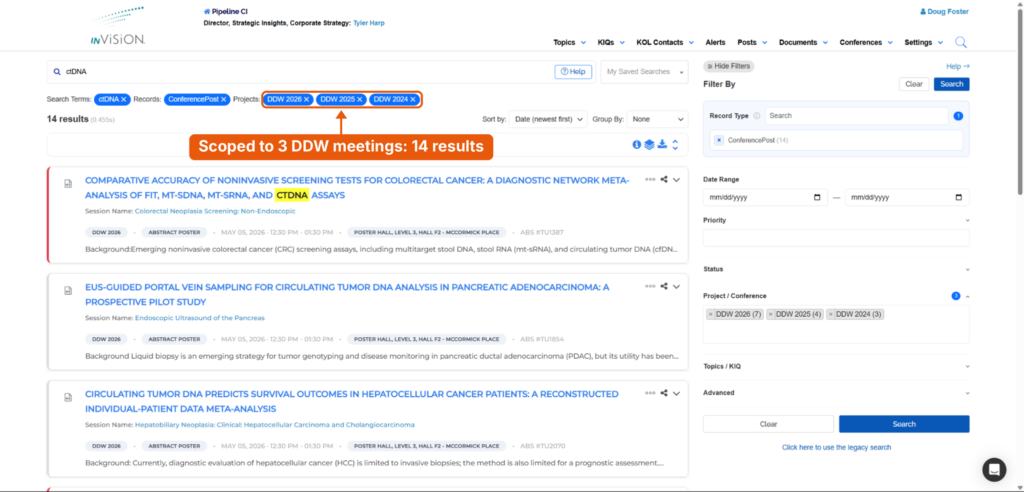
Now picture someone preparing for DDW 2027.
They are not just asking, “What do we have on ctDNA?”
They are asking something more useful:
“What happened at DDW 2024, 2025 and 2026 that might help me prepare for what is coming next?”
With Search 2.0, the user can scope the search to those three DDW meetings. A ctDNA search that returns 130 results across every conference narrows to 14 posts from DDW alone.
That makes it easier to spot patterns.
Was a topic quiet in 2024 but more visible in 2026?
Did a competitor start appearing more often?
Did a mechanism, asset, or theme move from background noise to something worth watching?
That is the difference between searching content and preparing with context.