
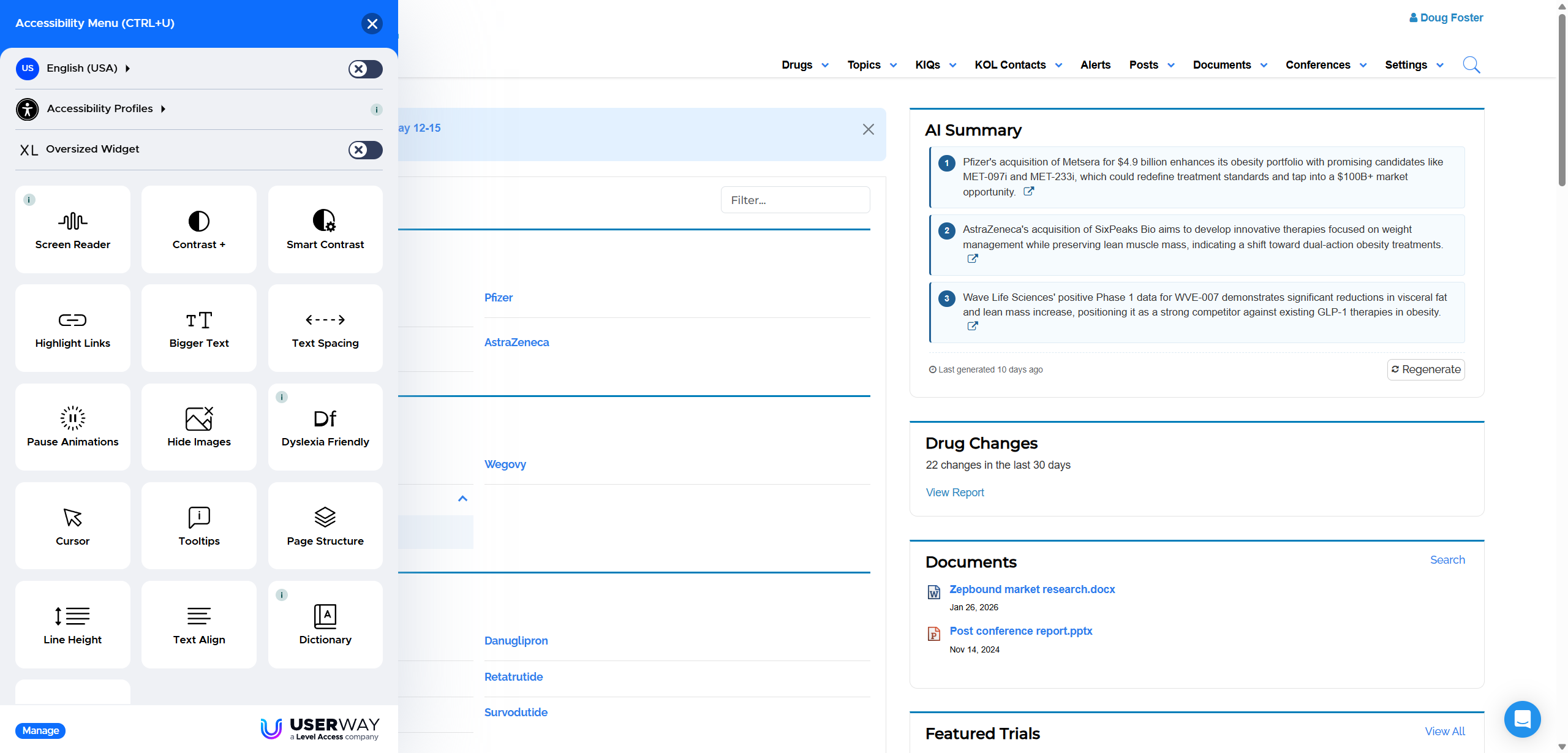
Feature Spotlight: Optional Accessibility, Usability, and Translation Tools

The inVision accessibility menu open, showing text, display, and translation settings

Customers can now request an additional set of tools that lets individual users adjust how content is displayed, use compatible assistive technology, and translate on-screen information.

We have added a new usability and accessibility option for customers who would like more ways to personalize their experience in inVision.

When enabled for your organization, the tool appears as an accessibility icon in the lower-left corner of the screen. Selecting the icon opens a menu of settings that each user can turn on or off as needed.
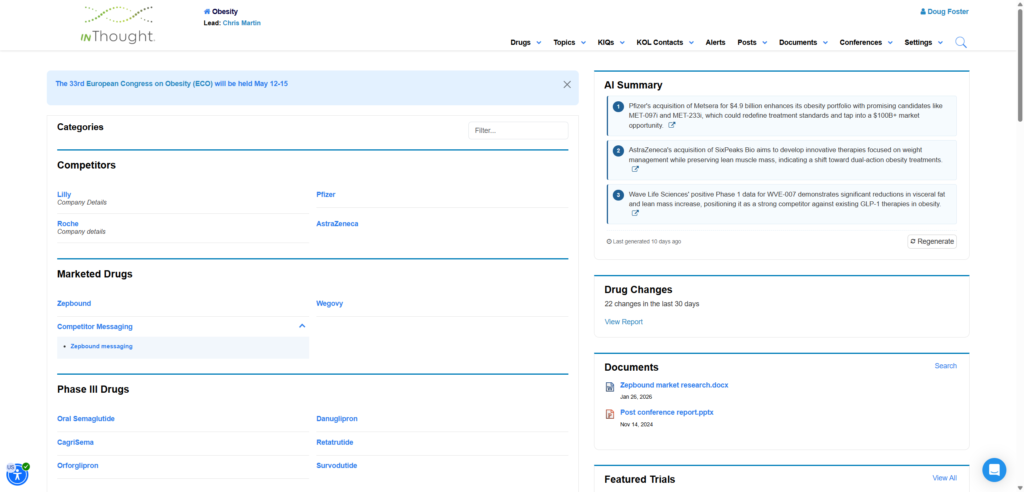
The accessibility icon shown in the lower-left corner of inVision
The optional tools are opened from the accessibility icon.

Adjust the experience to suit individual preferences

The menu includes a range of text and display settings. For example, a user can select a dyslexia-friendly text option to change the presentation of on-screen content and support readability.
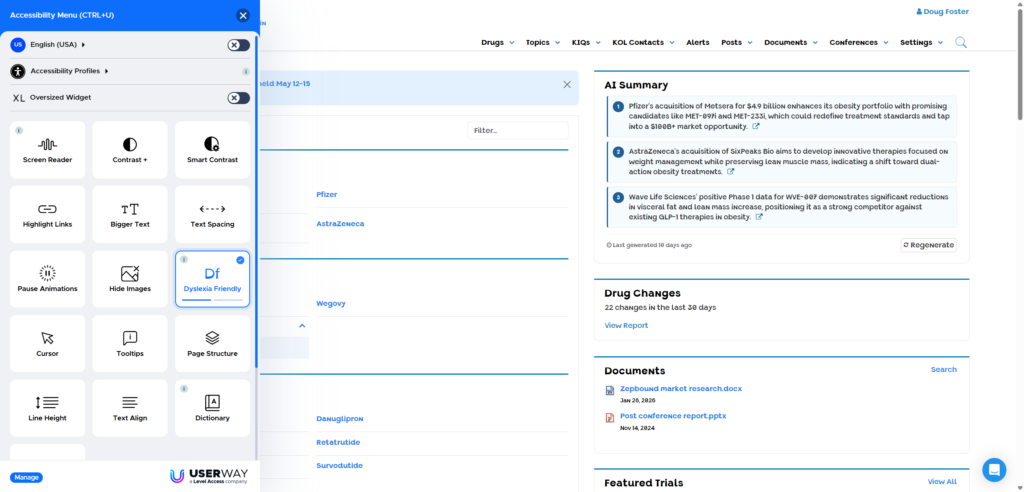
The inVision interface with dyslexia-friendly text enabled
Display choices are applied by the individual user and can be switched off again at any time.

Text and display

Users can select available display settings based on their personal preferences.

Assistive technology

The experience supports screen readers and other assistive technologies used to navigate content.

On-screen translation

Users can translate information directly within the application without leaving the current screen.

Translate content within the application

The same menu provides a translation option. A user can select a language and view the current screen in that language, then return to the original view when finished.
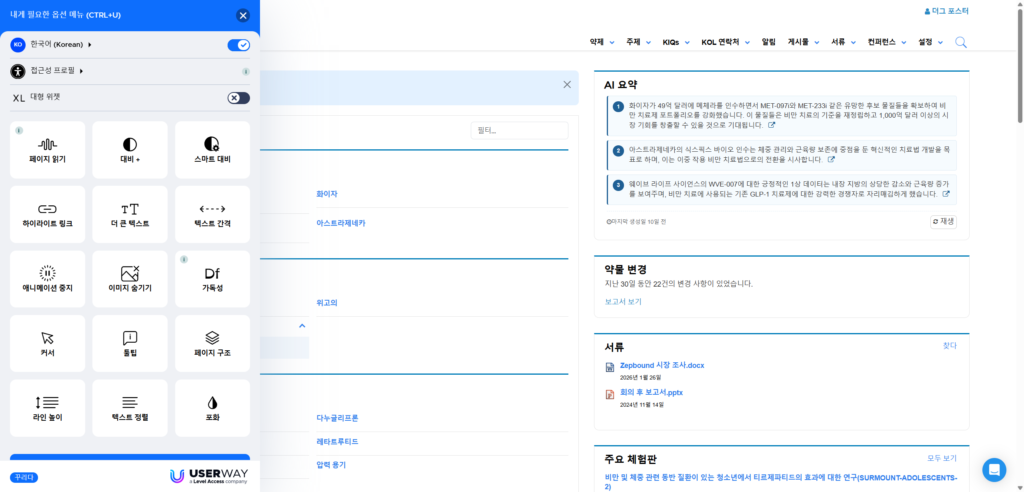
An inVision screen translated into another language using the accessibility menu
Translation is available directly on the current inVision page.

Optional availability: These features are not automatically enabled for every customer. Please contact our team if your organization would like to discuss enabling them.

See the feature in action

This short walkthrough shows where to find the icon, how to open the menu, and examples of the text and translation options.

Please register below to access the full content

Register / Sign in

Access your saved articles, exclusive insights, and personalized recommendations.

Your personalized
learning experience awaits.

Gain full access to exclusive resources, webinars, and insights designed to help you grow and stay ahead.

Stay informed. Stay connected. Stay ahead.

Doug Foster, COO of inThought Labs, drives inVision’s growth with AI/ML innovation. MIT graduate with experience in startups, consulting, and global learning leadership at InterSystems and Boston Scientific.

Related Resources

At most scientific congresses, the real work for a competitive intelligence team doesn’t end when

At most scientific congresses, the real work doesn’t end when the sessions are over. It

Did you know that inVision can search Veeva to help you add and manage KOL

Contact us

Learn how inThought Labs can simplify your life and empower your team with expert consultants and our cloud-based system, inVision.

Chris Martin

President

As the president of inThought Labs, Chris is focused on constantly improving inVision, the leading competitive and market intelligence platform for the biopharmaceutical industry, to better meet the changing needs of clients.


With 20 years of experience in roles being a consumer of market and competitive information, Chris understands the needs and priorities of clients. Chris was a senior principal and co-founder of inThought, a life science consulting, market research, and analytics firm. Collaborating with Ben Weintraub, Chris also co-founded BiotechTracker, an online tool for investors and precursor to inVision. Previous to inThought, he was a healthcare analyst and co-portfolio manager at two investment firms. Chris served in health care policy roles at the White House Office of Management and Budget. These roles included Medicare Desk Officer at the Office of Information and Regulatory Affairs, where he was responsible for providing recommendations to senior White House policy officials on healthcare policies and regulations.


Chris has a Master in Business Administration from Harvard Business School, a Master in Engineering from Villanova University, and a Bachelor of Science in Engineering from Cornell University. Prior to attending Harvard Business School, Chris served on two U.S. Navy nuclear submarines and at the Pentagon.