
Did you know that inVision can search Veeva to help you add and manage KOL contacts more effectively?
Many teams already rely on inVision to track KOL engagement around medical conferences, meetings, and scientific exchange. With Veeva-powered KOL search, inVision extends that workflow by connecting directly to your Veeva environment, making it easier to find the right KOL, enrich their contact record, and keep all related activity connected under a single identity.
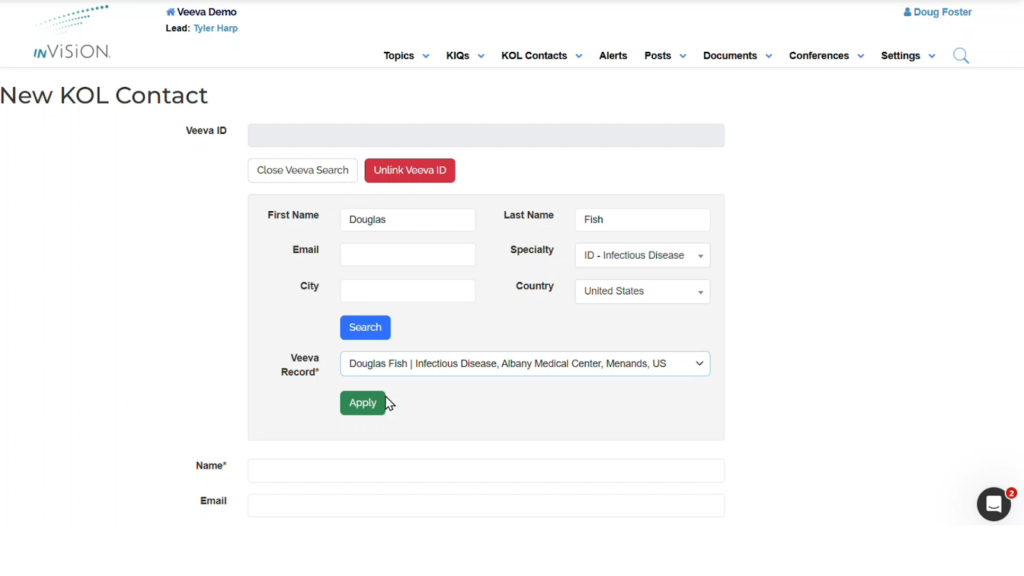
When adding a new KOL contact in inVision, you can now search the Veeva Network or your Veeva CRM using familiar criteria such as name, specialty, and location. Instead of manually entering partial or uncertain details, you can select the correct individual directly from Veeva and save them into inVision with greater confidence. This reduces ambiguity—especially with common names—and helps ensure you are working with the right HCP from the start.
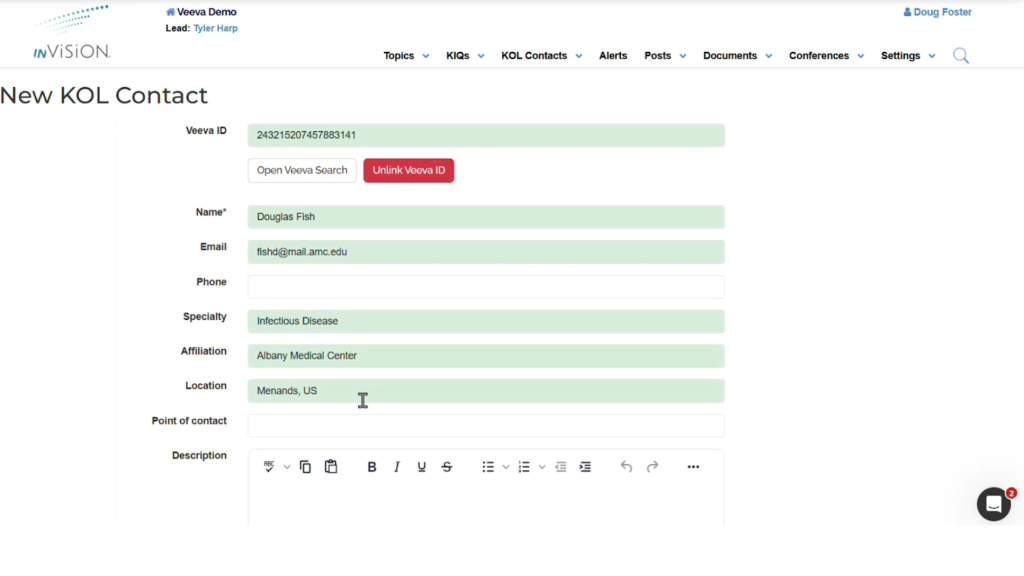
Beyond simply finding a KOL, this integration helps enrich your KOL records. Information available from Veeva—such as affiliations, locations, and other reference details—are brought into inVision automatically. This saves time, reduces duplicate data entry, and creates a more complete and accurate profile without requiring additional research or follow-up work from your team.
Once a KOL is linked to a Veeva ID, inVision can keep related activity consistently associated with that same identity. Presentations, meetings, and insights (observations) captured in inVision remain connected to the KOL you selected, helping maintain continuity across conference interactions and post-event follow-up. Instead of re-finding or re-creating the same KOL in multiple systems, teams can establish the connection once and continue building on it over time.
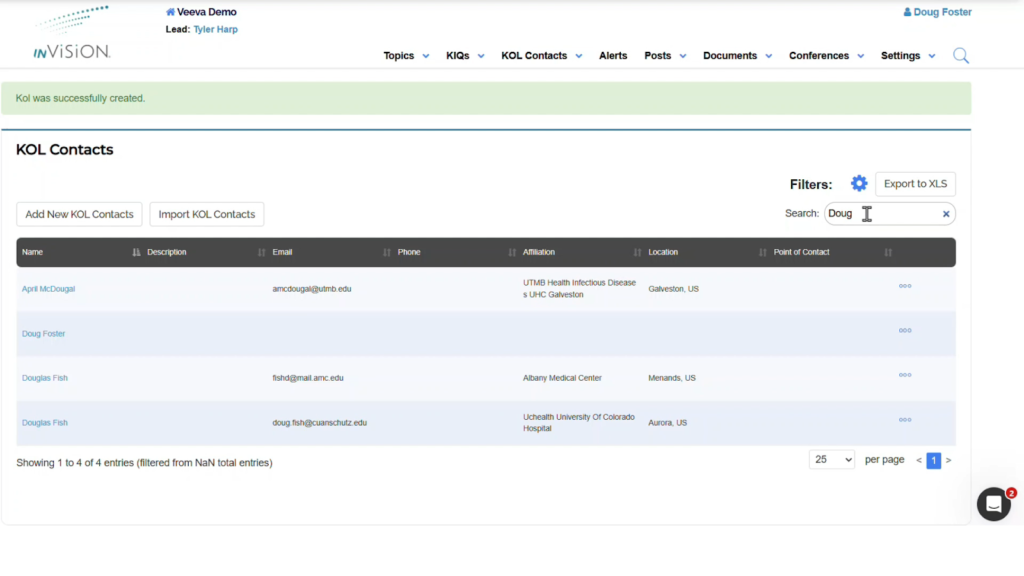
This capability is especially valuable in real-world conference and field scenarios. For example, if you attend a session and want to quickly capture engagement with a speaker, you can search Veeva to identify the correct KOL, add them to inVision, and immediately associate presentations or notes with that record. Later, when additional activity occurs—such as follow-up meetings or insights—it remains tied to the same KOL identity, supporting a cleaner, more reliable workflow.
By bridging inVision and Veeva in this way, teams can work more efficiently and with greater confidence in their data. KOL discovery becomes faster, records become more complete, and downstream activity becomes easier to manage. This integration also lays the groundwork for deeper connected workflows, enabling teams to spend less time managing contact details and more time focusing on meaningful scientific engagement.
Watch the short demo below to see how searching Veeva and adding a KOL works in inVision.